Before
Write current cash, the route problem, and the item you plan to change.
 Build Your Backrooms
Building guide
Use the current Buildings shop, hotbar, R rotation prompt, placement preview, and connection checks before spending on a longer maze.
Page updated August 5, 2026
Quick answer
Build loop
Open Buildings and read the live name, price, stock, and visitor-rate line. The tutorial begins with a free Yellow Corridor in the footage reviewed August 4.
Choose the piece from the hotbar. Press R on keyboard until the opening faces the route you want to extend.
The preview turns red when the placement is invalid in the walkthrough. Move or rotate it onto the build area before clicking.
The official description says you can enter your own maze. Use that ability before relying on visitor behavior.
Observe at least one person enter the changed area. Note the first hesitation, turn, or missed monster before buying another piece.
Verified controls
| Action | Current walkthrough | Boundary |
|---|---|---|
| Open the building shop | Choose Buildings at the top of the screen | UI labels may move after an update |
| Select a building | Click the numbered hotbar slot containing the piece | The slot number depends on your inventory |
| Rotate | Press R while the building preview is active | Keyboard verified; mobile and console not yet verified |
| Place | Click when the footprint sits on the build area | A red preview is treated as invalid in the tutorial footage |
| Return to the plot | Choose Home in the tutorial flow | Confirmed in the current walkthrough, not promised as a permanent menu position |
Room jobs
| Section job | What it should reveal | Common failure |
|---|---|---|
| Straight connector | Whether visitors can move cleanly between two useful zones | Extra length with no decision or monster exposure |
| Turn | Whether the route stays readable while sight lines change | A hidden opening that visitors or players miss |
| Branch | Which path visitors choose and where traffic splits | Two paths that look identical and hide the result |
| Monster approach | Whether a monster receives meaningful traffic | Monster placed in a pocket visitors never enter |
| Observation point | Where you can watch a route without blocking it | Decorative space that adds cost but no information |
Change control
Write current cash, the route problem, and the item you plan to change.
Record the new section or monster, then watch the same point in the route.
Keep, move, or undo. Do not stack three more purchases on top of an unclear result.
Watch the control
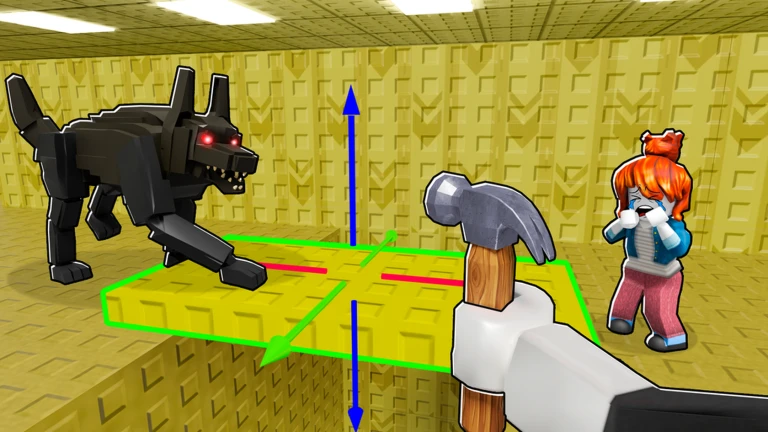 Open the walkthrough
by VendoPlus
Review the opening placement sequence, then return to the guide for connection checks. The video is community evidence and opens on YouTube only when you choose it.
The card uses official Roblox art as its cover. No YouTube iframe, tracking request, or third-party thumbnail loads until you choose the external link.
Official visual
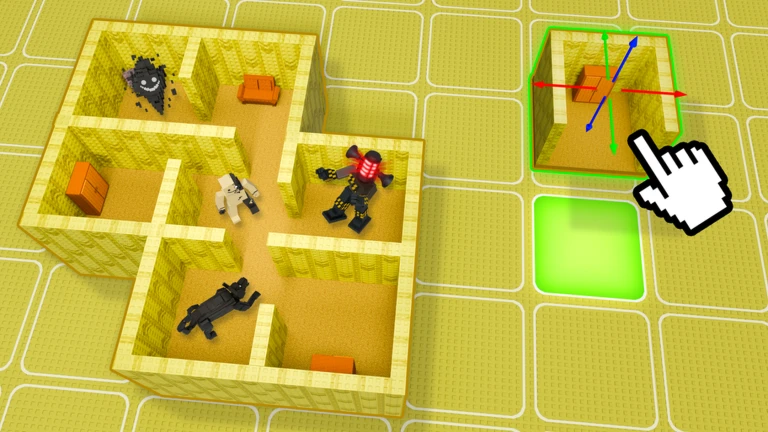
The top-down promotional image shows a connected room network beside a single selected module. It supports the modular build model. It does not prove that any pictured layout has a special multiplier.
Quick answers
Select the building from the hotbar and press R on keyboard. That prompt was visible in the community walkthrough reviewed August 5, 2026.
No public rule says so. Give each monster a tested route job instead of filling dead space.
Yes. The official description says players can enter their own maze or someone else's maze to explore.
Next chapter